I recently started handling the SEO for a new site. The first thing I always do is crawl the whole thing with Screaming Frog to see where I’m starting from: broken links, redirects, duplicate titles, the usual. This time the outgoing links report for the homepage had something that didn’t add up: 27 follow links to 27 different online casino and betting domains. With anchors like “casino free $20” or “casino en direct”, and sentences in English, French, Dutch and even Finnish, on the site of a local business that has nothing to do with any of that.
I opened the homepage in the browser and it looked perfect. Not a casino in sight. I opened the page source and there they all were.
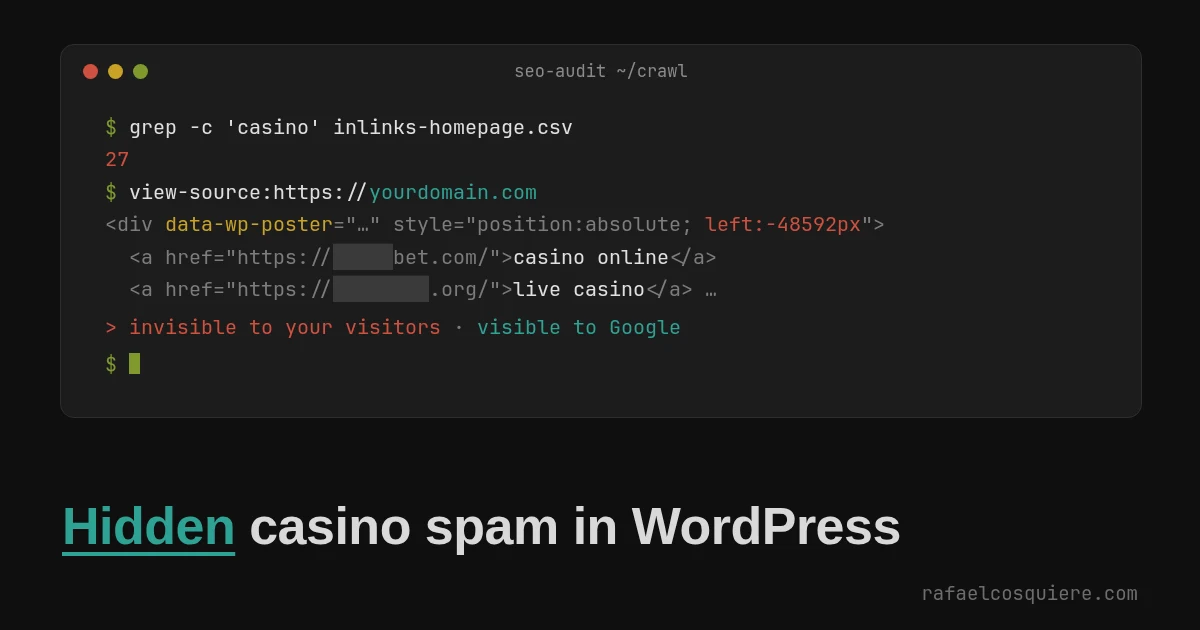
This has a name: spam link injection. Someone puts links on your site without your permission to borrow your reputation in Google and rank their own sites. Google covers it in its spam policies as hacked content, specifically content injection: manipulating existing pages by adding hidden links or text with CSS or HTML. And the hiding trick is on Google’s list too, under hidden text and link abuse , which spells it out almost word for word: “using CSS to position text off-screen”.
It’s not a new technique: it’s been on that list for years. What I thought was worth telling about this case isn’t the technique, it’s something else: the site had already been through two cleanups, and the spam stayed there for three weeks. Why that happened is the most useful part of this whole article.
The questions, in short
What was it? An HTML block on the homepage, inside a <div> with position: absolute; left: -48592px, full of casino links. Off-screen for people, right there in the HTML for search engines. On top of that, the attacker had published 35 blog posts with more links of the same kind, and some of them got indexed by Google.
How did they get in? With a valid administrator password. No brute force, no vulnerability: they got it right on the first try.
Why did it come back after cleaning? Because the first cleanup removed the malicious plugin but didn’t change the password. Two hours later the attacker was back in, and the next day they installed a backdoor that doesn’t depend on any password. When the passwords were finally changed, days later, it made no difference.
How do I check my own site? Search Google for site:yourdomain.com + casino, look at your homepage’s source code (not the homepage itself) and check Search Console. Details below.
What do I do after cleaning? Change every password at the same moment you clean, close all sessions, regenerate the keys in wp-config.php, turn on two-factor authentication for every administrator and ask Google to review the site. And look for the leftovers, because there are some.
How they got in: a password they already had
With the server’s access logs you can reconstruct almost everything. To avoid dates that could identify the site, I’ll count in days from the first access:
| Day | What happened |
|---|---|
| 0 | Two valid administrator logins, from two different IPs, in the same second. Not a single failed attempt before |
| 2 to 49 | Hundreds of attempts, from 443 different IPs, to open the “Upload plugin” screen. The hosting firewall blocked all of them |
| 15 to 17 | XML-RPC access with the correct password: the attacker checks it still works |
| 21 | Logs in, uploads and activates a first malicious plugin |
| 28 | First cleanup. Someone finds the plugin and deletes it. The password is not changed |
| 28, two hours later | The attacker gets back in through XML-RPC. Plants a hidden test link on the homepage and uploads a 1×1 pixel image. They’re checking whether the door is still open |
| 29 | Installs a second fake plugin, better disguised. Twenty minutes later, from another IP, publishes the first spam block on the homepage. Another twenty minutes later, from yet another IP, the second one |
| 28 and 29 | Publishes 35 blog posts with casino links |
| 30 and 31 | Second cleanup. A security plugin is installed, everything is updated, the 35 posts are deleted and XML-RPC is blocked. Passwords are changed. Nobody looks at the homepage or the second plugin |
| 31 to 51 | The spam is still on the homepage and the backdoor is still installed |
| 51 | I find it during the SEO audit |
Getting it right on the first try, from residential IPs that change on every access (a proxy network), points to a leaked password. There are three usual ways for that to happen: the same password was used on another service that suffered a breach, an infostealer took it from the browser on one of the computers used to log into the site, or a phishing email. With the data available there’s no way to know which. What we do know is that nothing had to be broken.
And a detail that amused me, sort of. The server had Imunify360, the hosting firewall blocked hundreds of plugin upload attempts for weeks, and from the second cleanup onwards the site also had the Wordfence firewall. And even so, what for? The attacker uploaded two plugins, and the backdoor lived alongside Wordfence for three weeks without anyone noticing. It’s not that those tools are bad: a firewall filters suspicious traffic, and an administrator logging in with the right password doesn’t look suspicious. It looks like an administrator.
That’s why I think WordPress security should put much more weight on periodic scanning of what’s already inside (injected code, malware, backdoors, database changes nobody made) and less on the firewall at the front door. With a leaked password and a legitimate login, the front door won’t save you. What saves you is finding out quickly what they left behind.
Why it came back: the two-hour gap
This is the part I most want to get across, because it’s a very easy mistake to make.
The first cleanup did what seems logical: it found the malicious file and deleted it. But the attacker hadn’t come in through that file. They’d come in through the front door, with a username and password, and the file was just what they left inside. Deleting it without changing the password is like changing the lock on a drawer and leaving the house key in the front door.
Two hours after the cleanup they were back in. And this time they didn’t settle for uploading the same thing again: they left something that doesn’t depend on any password. When all the passwords were changed two days later, the attacker no longer needed them. In fact they never logged in again. They didn’t have to: the spam was already published and the back door was still open.
Order matters: first cut off access, then clean. Passwords, sessions and keys, before or at the very latest at the same moment you delete the first file. Never days later.
The backdoor: a plugin that didn’t ask for a password
The second plugin was called Kizora Assets Extra. It presented itself as a tool for editorial teams (“publish and edit posts, update existing posts, and keep your editorial workflow moving”), with a made-up author, “Plenupla Layouts”, and a believable version number, 4.9.23.17. In the dashboard’s plugin list it passed perfectly for just another plugin.
Inside there were 11 files and around 2,700 lines of PHP, mostly meaningless filler to throw off antivirus tools. Things like this, scattered everywhere:
$route = intval( 'dy' );
try {
    $global_stream = $route + 862;
} catch ( Exception $vector ) {
    $global_stream = 0;
}
That does nothing. It’s there to make the code look like something else and to keep scanner signatures from matching. It worked: no server scanner flagged it.
What it actually did, once you strip the filler:
- Opens its own route in the WordPress REST API (
/wp-json/z6km7cu/v1/mf/zk/19) that accepts commands without logging in. - Commands are signed. Each request carries an Ed25519 signature in the
X-WPP-Signatureheader, and the plugin checks it against a public key stored in a separate file. Without the attacker’s private key, that route does nothing. And the signature includes the site’s domain, so a command signed for one site doesn’t work on another. - Hides from the API index. It hooks the
rest_indexfilter to remove its route from the/wp-json/listing. If you check which routes your API exposes, it doesn’t show up. - Creates and modifies content, including the pages’
_elementor_data. And not just for Elementor: the code has branches for Gutenberg, the classic editor, Divi, Oxygen and WPBakery. - Can install and activate other plugins from a URL.
In other words, this isn’t an amateur script. It’s a product: a platform for placing links on other people’s sites at scale, with support for the most popular page builders and cryptographic signatures so nobody else can use your backdoor. The logs show the attacker installed it and in the very next second made the first call to that route, to register the site in their system. It’s the only call to that route in the logs: the door was left open, waiting.
Where the spam hides even after you delete the block
Removing the two blocks from the homepage was the easy part. What almost nobody tells you is that the spam stays copied in places you don’t see, and some of them keep being served or keep pinging search engines:
- Page revisions. WordPress saves a copy every time a page is edited. There were 14 homepage revisions with spam or with the test link. If someone restores an earlier version “to undo”, the spam comes back.
- Page builder cache. Elementor generates cached CSS and data. It has to be regenerated, and the server’s page cache purged too.
- The SEO plugin’s link index. Rank Math, for example, keeps every link in every post in its own table. The 35 spam posts had been deleted weeks earlier and their links were still there.
- The IndexNow log. Here’s one I didn’t like: every time a spam post was published, the SEO plugin dutifully notified search engines on its own that there was new content. IndexNow is used by Bing, Yandex and others (not Google), and its log still held 40 notified spam URLs.
- Categories and tags. The attacker created a category called “Nuevos Casinos Online” and a tag called “Casinos Nuevos España” (new online casinos, new casinos in Spain). Once the posts were deleted they were empty, but they were there.
- Translation strings. On a multilingual site, the translation plugin registers the text of every block. And the fake plugin had also been added to its list of components.
- Stray options. The list of recently activated plugins, the list of recently edited files (with the first malicious plugin in it) and a folder-size cache that still listed the fake plugin’s folder.
None of this is dangerous on its own once the plugin is gone. But if you want to know whether the site is clean, searching the whole database for the spam domains or the plugin name is the real test, not looking at the homepage.
How to check your own site
This kind of spam is designed so the owner doesn’t see it. The homepage looks fine, visitors notice nothing, and security plugins don’t always catch it because there’s no suspicious file: the spam lives in the database, inside a page’s content. So you have to look the way Google looks.
1. Ask Google with site:
Type this into Google:
site:yourdomain.com + casino
site:yourdomain.com + betting
site:yourdomain.com + bet
The site: operator tells Google to only show results from your domain, and whatever comes after filters by that word. I add the + out of habit; Google ignores it these days, so it works the same without it. If you get pages with those words that you never wrote, you have indexed spam. Also try plain site:yourdomain.com and jump to the last pages of results, which is where odd URLs tend to end up. Change the words depending on what worries you: pharmacy, replicas, loans, or Japanese or Chinese characters if your site is in English.
2. Look at your homepage’s source code, not your homepage
Open your site, press Ctrl + U (or right-click, “View page source”) and search with Ctrl + F for:
casino,bet,slot, or the words of your favourite spam niche.left:-orleft: -followed by a huge number.display:noneorfont-size:0next to a link you don’t recognise.data-wp-poster, the marker this plugin left behind.
If your site sits behind a cache or an anti-bot challenge, do it from a regular browser, not with curl: the HTML you get back may not be the real one.
3. Search Console
- Performance, filtering by queries: if you see searches that have nothing to do with you, Google is associating you with them.
- Pages: indexed URLs you don’t recognise.
- Security issues and Manual actions: if Google has already detected it, this is where it tells you. More on this in a moment.
4. Run a crawler
Screaming Frog is free up to 500 URLs, which for most small sites is the whole site. Crawl it and look at the external outgoing links, especially the homepage’s. That’s exactly how it turned up in my case.
5. Check the plugins you don’t recognise
For each installed plugin, check that it exists at wordpress.org/plugins/plugin-name/. Neither of the two plugins in this case existed in the official repository. One with a generic name, an author you’ve never heard of and no “View details” link deserves a closer look.
Google’s warning and the review request
Very often, when Google detects hacked content, it shows it to your visitors before it tells you. In search results a message like “This site may be hacked” appears under your site, and in some cases the browser even shows a warning page before letting people in. For a business that’s worse than the spam itself: people see the warning and go to a competitor.
If this happens to you, the warning doesn’t go away on its own once you clean up. This is the process, according to the Search Console help :
- In Search Console, go to Security & Manual Actions > Security issues. You’ll see the type of issue and sample affected URLs.
- Clean the whole site, not just the sample URLs, and close the door they came in through.
- In that same report, click Request Review and explain what happened, what you did and how you verified it. The more specific, the better.
- Wait. Google talks about several days to several weeks. Don’t send the request until you’re sure, because if the review finds anything it gets rejected and you start over.
And for spam URLs that are already indexed: make them return 404 or 410 and, if you want them gone faster, use the Search Console removals tool . Without a security warning there’s nothing to request, but check Manual actions anyway: hidden, unnatural outgoing links are exactly what Google penalises.
After cleaning: what to change
Cleaning removes what they left. This is so they can’t leave it again. Roughly in order of priority.
1. Passwords, all of them, at once. Every WordPress administrator, the hosting panel, FTP, SSH and the database. And the email passwords of the people who manage the site: if the password came from an infected computer or a phishing email, email is next, and with email you can recover everything else. Each one different, and in a password manager.
2. Close all sessions and regenerate the keys. Changing a password doesn’t kick out someone who already has a session open. This does:
wp user session destroy --all-users
wp config shuffle-salts
Without a console, you can generate the wp-config.php keys at https://api.wordpress.org/secret-key/1.1/salt/ and replace them by hand.
3. Revoke application passwords. They live in each user’s profile, give access to the API and survive a password change. If you don’t use them, delete them all.
4. Two-factor authentication for every administrator. Had it been on, the leaked password would have been useless. It’s the measure that would have changed this case the most, and it takes ten minutes.
5. Fewer administrators. Someone who only publishes content doesn’t need to be an administrator. With the Editor role they can do all their work and can’t install plugins, which is exactly what the attacker did with an administrator account.
wp user set-role username editor
6. Disable XML-RPC if you don’t use it (the WordPress mobile app and some integrations like Jetpack do). In this case it was the way back in two hours after the cleanup. The cleanest option is to shut it at the server:
<Files xmlrpc.php>
    Require all denied
</Files>
7. Disable the dashboard file editor. The attacker opened the first plugin in WordPress’s plugin editor. One line in wp-config.php:
define( 'DISALLOW_FILE_EDIT', true );
If you handle updates some other way, you can go further with DISALLOW_FILE_MODS, which prevents installing or updating anything from the dashboard. Careful, because it stops you from updating too.
8. Antivirus on the computers. If the password was stolen from a browser, changing it is pointless while the malware is still on the same machine: it will steal the new one.
9. Log logins before you need to. In this case the record of who logged in and from where only existed from the second cleanup onwards, when the security plugin was installed. Before that there were only server logs, which don’t say which user logged in. Any decent security plugin keeps a login log: have it in place before anything happens.
10. Know which backups are clean. There were daily backups here, but the ones after day 21 contained the first plugin and the ones after day 29, the backdoor. If you ever need to restore, it’s worth knowing that “yesterday’s backup” isn’t a clean backup.
For the rest of the hardening, the official reference is the Hardening WordPress chapter of the WordPress Advanced Administration Handbook.
How I check it hasn’t come back
This is exactly the periodic scanning I mentioned earlier. It’s something I’ve built for my own sites and the ones I manage: Argos, an automated backup and full analysis system, for files and database, that I built and run. I’ll tell you about it properly in another post. Every night it copies each site’s files and database off the server, compares them with the previous night and with the official WordPress.org checksums, looks for known malicious code and alerts me if something doesn’t add up.
I added this site the same day as the cleanup. That afternoon’s scan came back with no trace of the attacker, and two days later I did the real check: comparing the database from right after the cleanup with the one from two days later row by row, and the files the same way. Only explainable things had changed: caches, the new passwords and the two-factor authentication the administrators had turned on. Not a single unknown login, no new content, no strange scheduled tasks.
And the part that stings: had it been watching from the start, this intrusion would have been flagged on day 29 itself, three ways at once. A content change in the database that nobody on the team had made, a spike in new files and a plugin that doesn’t exist in the official WordPress repository. I added that last rule because of this case.
Indicators of compromise
For anyone reviewing a site that looks like this. The REST route name and the plugin suffix probably change with each install, so don’t rely only on the literals. What’s reusable is the pattern, the header and error names, and the attacker’s public key.
Plugin:
wp-content/plugins/kizora-assets-extra-ri/
Plugin Name: Kizora Assets Extra
Author:      Plenupla Layouts
Version:     4.9.23.17
REST route, header and markers:
POST /wp-json/z6km7cu/v1/mf/zk/19        # backdoor route
X-WPP-Signature                          # header carrying the Ed25519 signature
wp_poster_*                              # error code prefix
data-wp-poster="..."                     # attribute on the spam div
position: absolute; left: -48592px;      # the off-screen offset
Attacker’s public key (file floda.php):
fpZnHoHVy0pY4UhxnPE/JtVIm+FNSb1HzTaU28Wf1xI=
SHA-256 hashes:
24d42fe3c8e4979050d2553e250db30651ca183943c968da643c46ee667e59d7  kizora-assets-extra-ri.php
fb93ca36f993df0219be90f024b2189db3cb91080ad1e1676c7702bd824e748b  floda.php
7ce879fbe76be5bcf5248a7694c7619a94864eda0385b1bb08016ddd23e781e3  uninstall.php
The first plugin (the one the first cleanup removed): advanced-content-toolkit-d163. Same pattern of a generic name with a short suffix.
To search your server and database:
grep -rl "X-WPP-Signature\|wp_poster_" wp-content/plugins/
wp db search "data-wp-poster" --all-tables
wp db search "left: -48592px" --all-tables
What I take away from this
Cut off access before cleaning. The attacker didn’t come in through a file, they came in through a password. Deleting the file without changing the password gave them two hours, and in two hours they left something that no longer needed a password.
A homepage that looks fine means nothing. This spam is built so the owner doesn’t see it. Look at the source code, ask Google with site:, and check Search Console.
Firewalls watch the door, and the attacker had the key. Neither Imunify360 nor Wordfence was going to stop a legitimate login, and the spam lived in the database, not in a suspicious file. What does work is watching what’s already inside and comparing: what’s changed since yesterday, and which plugin doesn’t exist in the official repository.
An SEO audit is also a security audit. No security tool found this. A routine SEO crawl looking for broken links did.
Deleting the block isn’t cleaning. Revisions, caches, link indexes, IndexNow, taxonomies. If you don’t search the whole database, you don’t know whether you’re done.
Two-factor authentication. Of every measure on the list, it’s the only one that on its own would have prevented everything else.
If this is you
If you’ve landed here because you found casino links in your source code, or because Google is telling your visitors your site may be hacked, get in touch and we’ll take a look. My details are below. If it’s something you can fix yourself with the steps above, I’ll tell you so and that’s that.
And the same as in the CoupDeGrace case : don’t delete anything yet, not the odd plugin and above all not the logs. First make a copy of everything, change the passwords and close the sessions, and then clean. If you don’t even know where to start looking, start with how to tell if your WordPress has been hacked .